
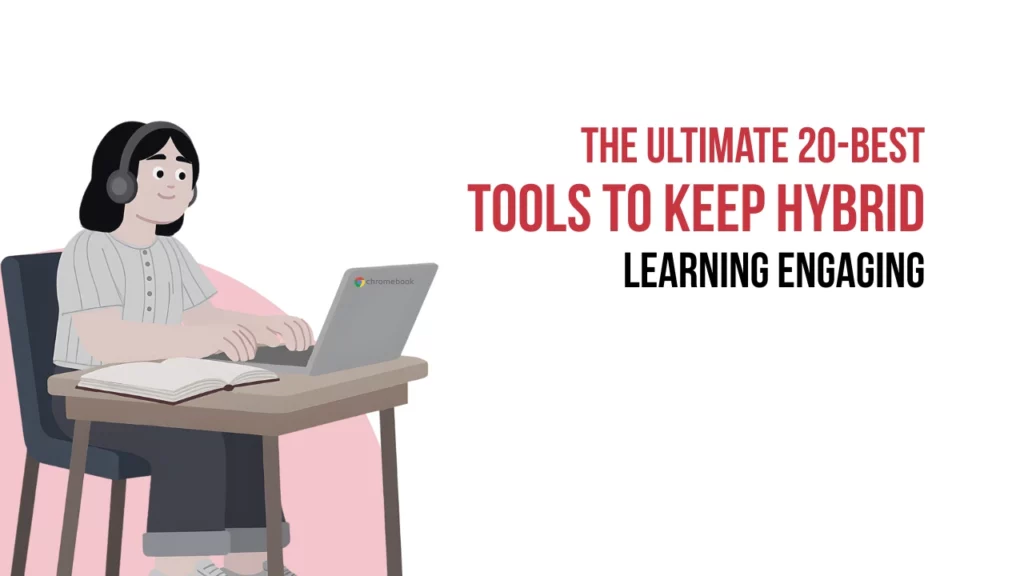
Knowing the steps to implement hybrid learning in classrooms is one thing but managing it day to day is where the real challenge lies. You might have a solid plan for split lessons, but keeping remote students engaged while managing the physical classroom quickly becomes overwhelming.
Striking this balance requires more than just extra effort; it requires the right digital support. Relying on makeshift setups often leads to disconnected students and exhausted teachers. To make hybrid learning sustainable, you need practical hybrid learning tools that can support the heavy lifting, allowing you to focus purely on teaching.
Here’s a list of essential tools for your classroom
The right technology makes the physical distance between you and your students disappear. Here are twenty of the best hybrid learning software options, categorised by how they support your daily teaching.
Reliable video and communication hubs
There are a lot of learning tools and video conferencing tools in the market but some of the recommended video conferencing solutions for interactive hybrid lessons are:
- Zoom: Excellent for stable video links, offering breakout rooms that let remote and in-person students collaborate easily on group tasks
- Microsoft Teams: A robust platform that combines video calling, chat, and document storage, keeping all classroom communication in one secure place
- Google Meet: Ideal for quick, straightforward video connections, integrating perfectly with online planning and document sharing
- Cisco Webex: Offers secure video conferencing with interactive whiteboarding, making it highly reliable for structured school lectures
Interactive learning and engagement platforms
Teaching remotely is not only about delivering lessons but a huge part of it also includes how students receive the information that is delivered and some of the best platforms for managing student assignments and communication in a blended, hybrid or flipped model, that are recommended by most of the schools are:
| Nearpod | Allows you to create interactive lessons where both in-person and remote students can answer quizzes |
| Pear Deck | Works alongside your existing presentation slides to add live questions, ensuring students stay focused |
| Kahoot! | Uses friendly competition through game-based quizzes to boost energy levels and check students’ understanding |
| Quizizz | Provides self-paced quizzes that students can complete during class, giving teachers instant data on their progress |
| Flip | A video discussion platform where students upload short clips responding to topics, making it perfect for building student confidence |
| Padlet | Functions as a digital noticeboard where the class can pin ideas, images, and notes, making brainstorming simple |
Learning management and content systems
- Google Classroom: A simple way to distribute assignments, track deadlines, and share digital resources without cluttering your desk
- Canvas: A comprehensive system that organises course modules, grading, and feedback, keeping large cohorts on the same track
- Schoology: Combines learning management with a social media feel, making it easy for younger students to navigate tasks and announcements
- Seesaw: A digital portfolio tool that helps primary pupils document their work through pictures and audio, keeping parents connected to daily learning
Digital whiteboards and creation tools
| Vibe Board | An interactive whiteboard tool that lets you sketch ideas and collaborate digitally, ensuring remote students can clearly see explanations |
| Miro | A vast digital canvas that is excellent for mind mapping, project planning, and visual group work across different locations |
| FigJam | A highly collaborative, intuitive whiteboarding tool that makes live brainstorming and group sticky-note activities engaging for all students |
| Canva for Education | Offers intuitive design templates that help students create professional presentations, posters, and portfolios |
| Book Creator | A creative platform where students compile their research and stories into digital books, adding audio and video elements |
| Edpuzzle | Turns standard videos into interactive lessons by embedding questions, ensuring students actively watch the educational content |
Finding the right balance for your school
Every classroom has its own rhythm; the right hybrid learning tools should adapt to your teaching style. Introducing new software can sometimes feel like an added chore, especially when handling technical glitches during a live lesson.
Focusing on a few core tools that solve immediate issues, like tracking student participation or reducing lesson preparation time, keeps the transition manageable.
If configuring this hybrid learning tools or integrating it into your current curriculum feels daunting, Netoyed for Education provides practical guidance. We help schools embed digital tools smoothly, ensuring teachers feel supported and confident in every lesson.
Selecting software that complements your daily teaching routine creates an environment where every student succeeds, whether they are sitting at the front desk or logging in from home.


 1st Floor, H-31, Sector 63,
 +91 7898375456